🛎️Commands
Explanation about pegasus commands in-game & in-console
Firstly, I'd like to mention that we have two categories of commands: in-game commands, accessible to any admin with the right permissions, and in-console commands, available for any user with access to the server console.
note
To access the in-game commands, proper permission settings are required. Failure to have the necessary permissions will result in receiving a warning message in the in-game chat and a corresponding warning in the Discord logs.
First of all lets explain in-game commands
| Command | Explanation |
|---|---|
| /pegban [id] | The 'pegban' command, when accompanied by the player's ID, swiftly imposes a ban on the specified player within the game. |
| /pegunban [steamid] | The 'pegunban' command, when followed by the SteamID of a banned player, reverses the ban and allows the player to re-enter the server, especially useful in case of accidental bans. |
| /pegscaryon [id] | The 'pegscaryon' command, when used with the player's ID, triggers a scary gif on the target player's screen, creating a surprising and spooky effect. |
| /pegscaryoff [id] | The 'pegscaryoff' command, when followed by the player's ID, reverses the effects of the 'pegscaryon' command, removing the scary gif from the target player's screen. |
| /pegscreen [id] | The 'pegscreen' command, when used with the player's ID, captures a screenshot of the target player and sends it to the Discord logs. |
Now lets take a look in-console commands
| Command | Explanation |
|---|---|
| pegasus -help | The command 'pegasus -help' provides an overview of all current in-console commands available.  |
| pegasus install_event | The command 'pegasus install_event' automatically installs event protection across all your server resources. 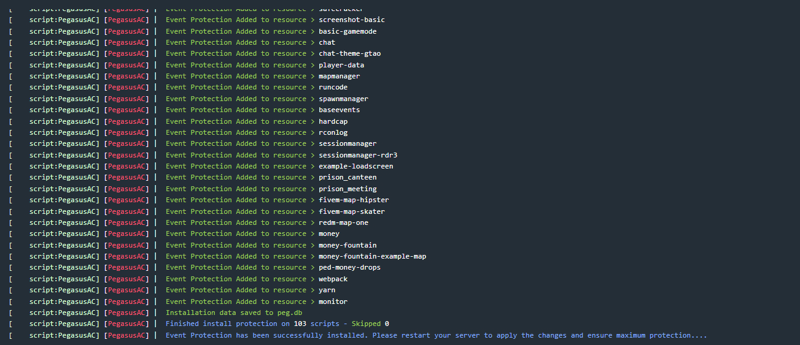 |
| pegasus install_event --ignore-fxap | This command will install event protection but skip all of the files / resources that has the .fxap file (FiveM Encryption). |
| pegasus install_event [YourResourceName] | The command 'pegasus install_event [YourResourceName]' allows you to selectively install event protection on specific resources of your choosing, identified by [YourResourceName].  |
| pegasus remove_event | The command 'pegasus remove_event' instantly removes all event protection from your server resources. |
| pegasus remove_event [YourResourceName] | The command 'pegasus remove_event [YourResourceName]' removes event protection from the specific resource you've chosen, identified by [YourResourceName]. 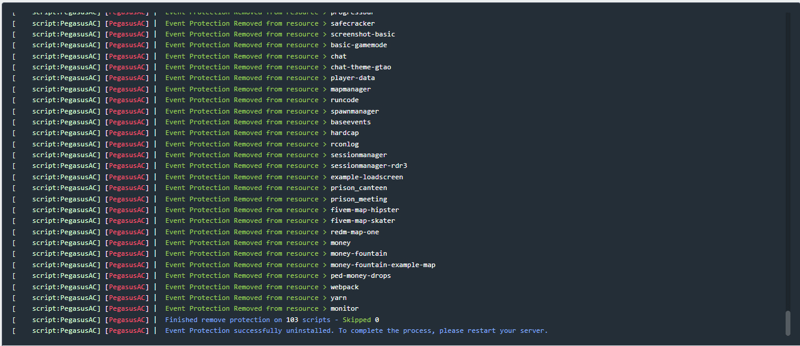 |
| pegasus install_antiweaponspawn | The command 'pegasus install_antiweaponspawn' automates the installation of anti-weapon spawn protection across all your server resources. Be sure to set the protection to 'true' in your sv_config.lua as well.  |
| pegasus remove_antiweaponspawn | The command 'pegasus remove_antiweaponspawn' automatically removes anti-weapon spawn protection from all your server resources. |
| pegasus install_acprotection [YourResourceName] | The command 'pegasus install_acprotection [YourResourceName]' installs Anticheat protection on a specific resource of your choice, identified by [YourResourceName]. |
| pegasus remove_acprotection [YourResourceName] | The command 'pegasus remove_acprotection [YourResourceName]' removes Anticheat protection from the specified resource where it was initially installed. |
| pegasus install_monitormode | See all of the natives / triggers that is currently be used in your server. This can help to identify backdoor etc. This will spam your console! |
| pegasus remove_monitormode | Remove the monitor mode. |